Home About Contact Brand Portfolio
About

No-Touch Call Control

XR-powered gesture recognition — accept or decline calls without touching the screen.

HMI Gesture Interaction

Designed and prototyped a gesture-driven interface for in-car displays. The system reads hand gestures in real time through a front-facing camera, letting drivers manage incoming calls without touching the screen — keeping visual attention on the road, not on a menu.

The Problem
Touchscreen interactions in moving vehicles require visual attention and precise finger targeting — both of which take the driver's focus off the road. Even a 2-second glance increases crash risk dramatically. Voice commands aren't always reliable either — road noise and music often cause misrecognition, making them inconvenient in real driving conditions.
The Insight
Thumbs up and open palm are universal, instinctive gestures that require zero learning. Mapping them to accept and decline makes the interaction feel obvious — not designed.
The Solution
A real-time gesture recognition layer built on MediaPipe hand tracking. 👍 answers the call. ✋ declines it. No buttons, no voice commands, no eyes off the road. A 1-second hold confirms the gesture to prevent accidental triggers.
The Tech
MediaPipe Hands with 21 landmark points per hand running at up to 30fps in-browser via WebGL. Gesture classification analyses fingertip positions relative to knuckles in normalized coordinates — no server, no data sent anywhere.

Try the Prototype

Grant camera access to test gesture-based call control. Nothing is recorded or sent anywhere.

Alex
Calling

👍 to answer  ·  ✋ or 🖕 to decline

Open on desktop to try gesture control

Show your hand to the camera

Integrated into the heads-up display — the call appears where the driver is already looking, no extra glance required.

Behind the prototype

Gestures were trained and tested using computer vision — a webcam tracked hand landmarks in real time via MediaPipe, letting me validate recognition accuracy and latency before any HUD integration. The setup was deliberately minimal: no specialized hardware, just a browser, a camera, and a lot of repeated hand movements.
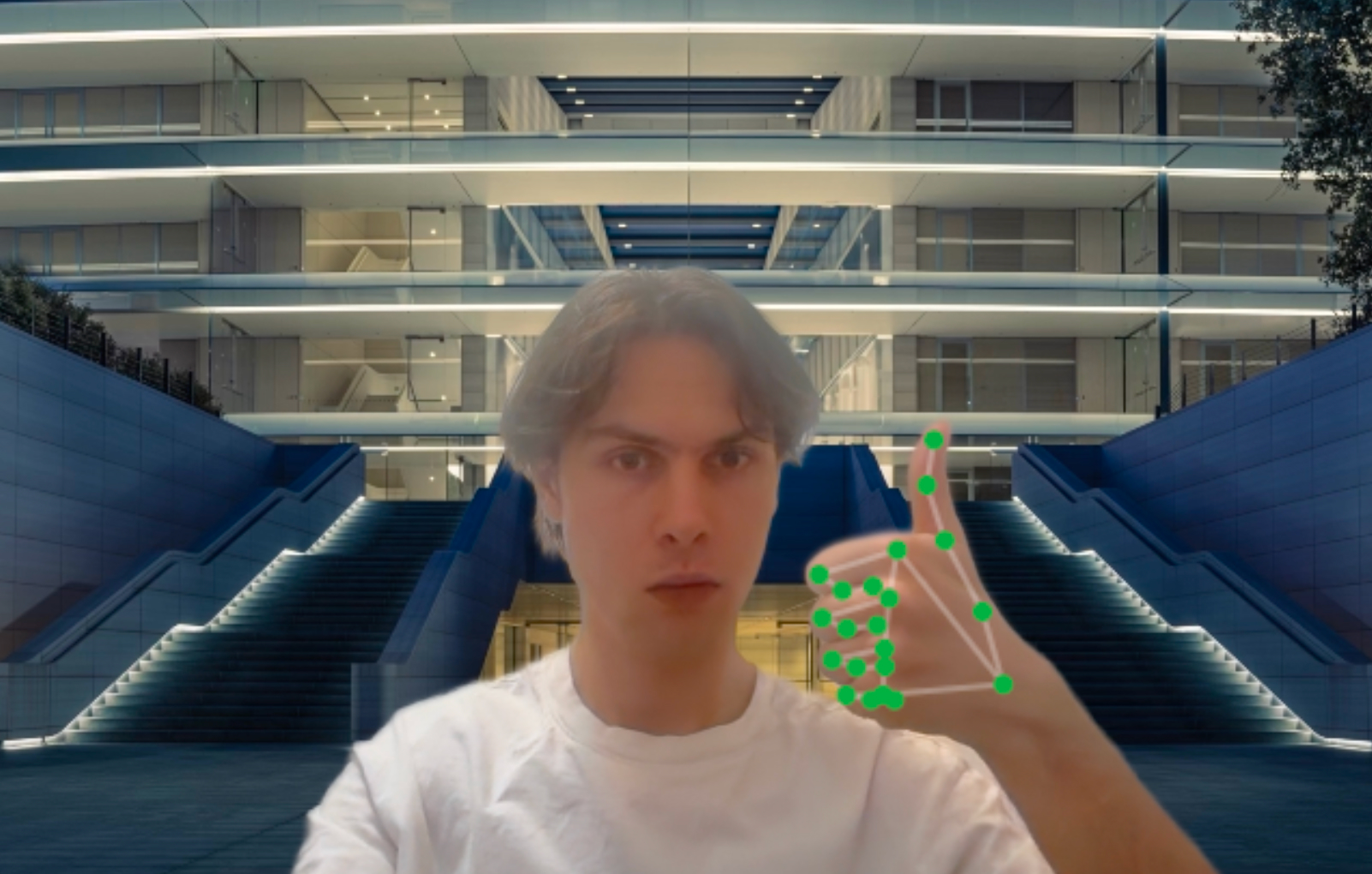
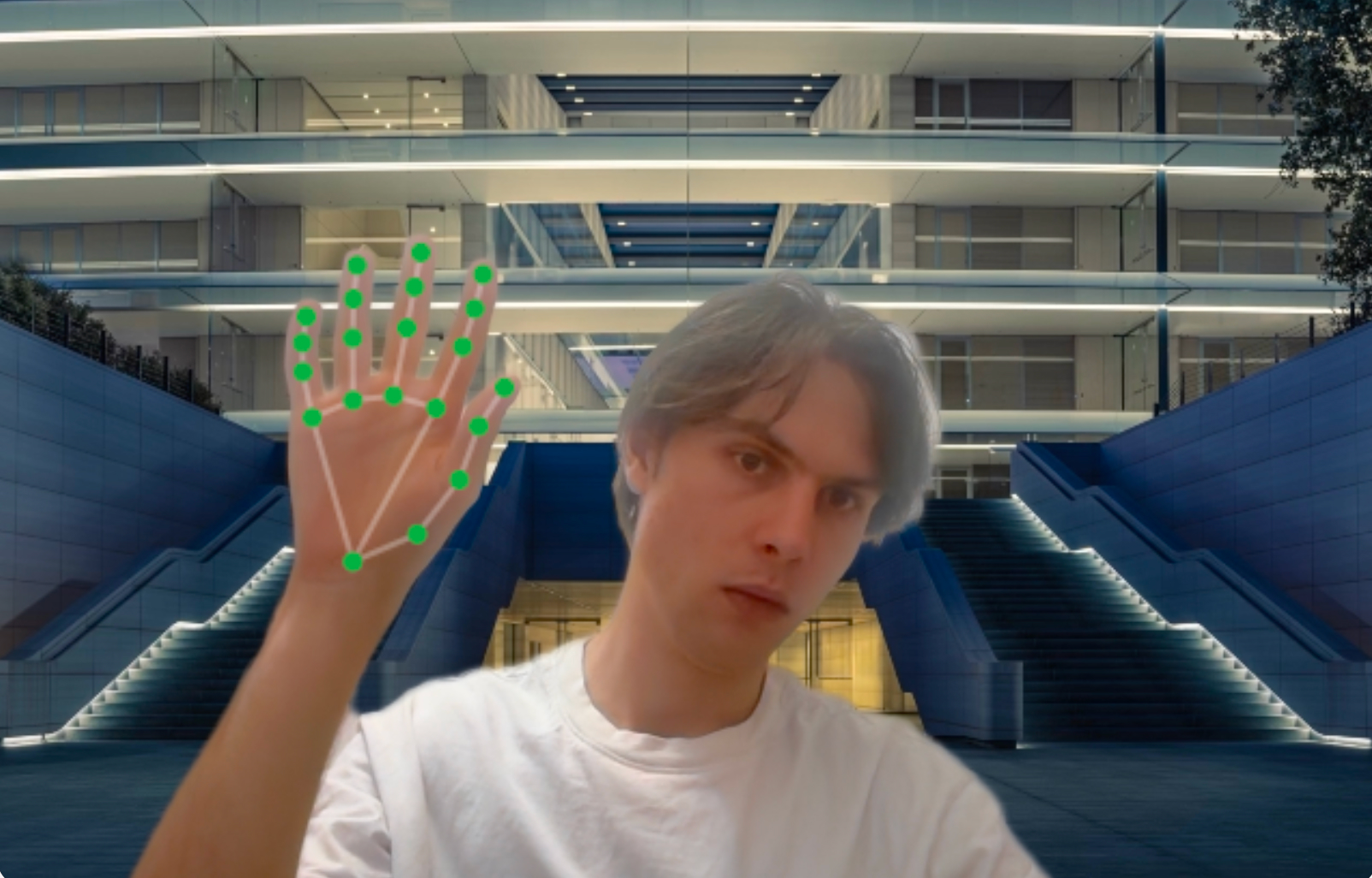
Testing gesture recognition Testing gesture recognition

Keep exploring.

Next